


Upload Options for New Android Devices
[%PLANS_ALL%]
Overview
Last updated: Oct 30th 2025
If you are using a newer device on Android 12 to 16+, you may be affected by Google’s new storage security policy.
These changes prevent the AirData UAV app’s Auto Sync feature from functioning as it did before.
Our engineers have created two new upload options for Android users. This article will help you decide which method works best for you.
Users of older Android phones and smart remote controllers can continue Auto Syncing without any changes.
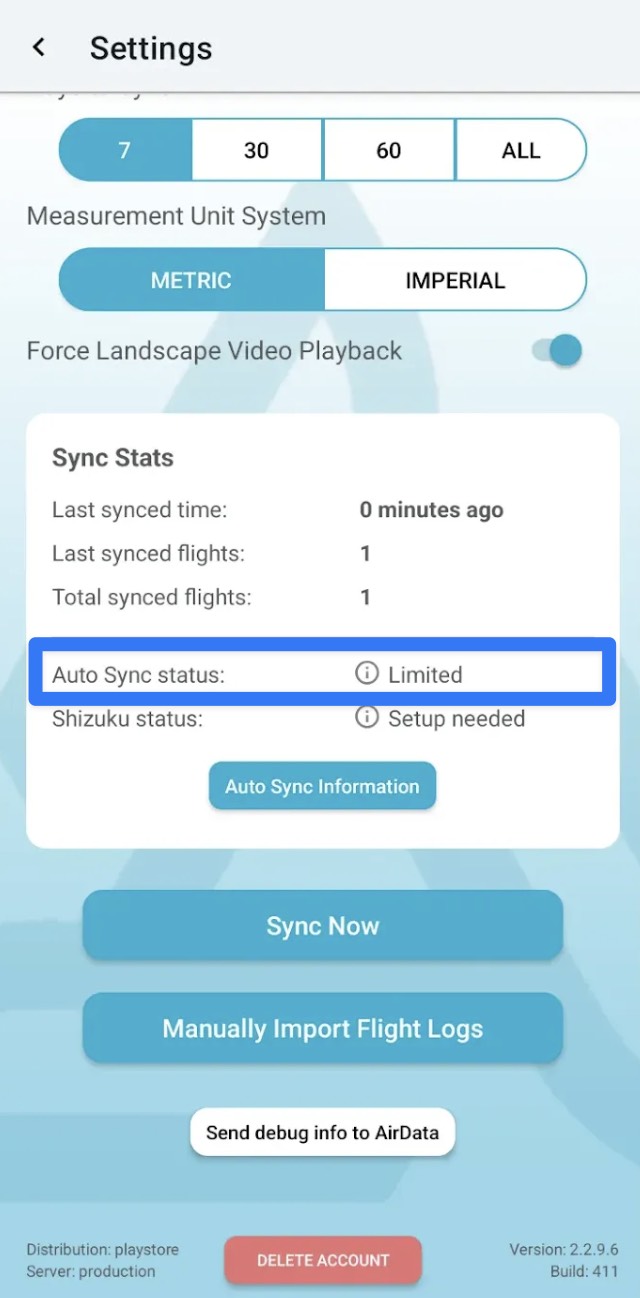
If you see that your “Auto Sync Status” is “Limited”, then your device is affected by the new storage restrictions from Google.
New Manual Import Method in AirData App
AirData’s Build 411 and newer will allow you to bulk upload flights from within the app. This is a streamlined process that takes place without leaving the AirData mobile app.
You select your flight app, select your flight logs, then “share” them to AirData.
These changes prevent the AirData UAV app’s Auto Sync feature from functioning as it did before.
Our engineers have created two new upload options for Android users. This article will help you decide which method works best for you.
Users of older Android phones and smart remote controllers can continue Auto Syncing without any changes.
How to Know if Your Device Is Affected
Head to the AirData mobile app’s Settings page.If you see that your “Auto Sync Status” is “Limited”, then your device is affected by the new storage restrictions from Google.
Current Upload Options
AirData’s Build 411 and newer will allow you to bulk upload flights from within the app. This is a streamlined process that takes place without leaving the AirData mobile app.
You select your flight app, select your flight logs, then “share” them to AirData.
| Pros of Manual Import | Cons |
| Entirely within the AirData app No third party apps required No Developer Options required | Requires manual action each time you upload flights |
Manual Import instructions: https://app.airdata.com/wiki/Help/Updated+Sync+Method+for+Android+Devices
Auto Sync with Shizuku
This workaround is recommended for advanced Android users.
Shizuku is an app on the Google Play Store that grants access to restricted folders, allowing Auto Sync to function as before.
| Pros of Workaround with Shizuku | Cons |
| More automated | Requires setup process with Android Developer Options Requires third party app May require repeated setup, depending on your device |
Shizuku setup instructions: https://app.airdata.com/wiki/Help/Granting+Permissions+in+Android+13+and+14
If you have any questions regarding any of the above options, please reach out to us at support@airdata.com
| Comment Section | Sort by:
|


Please login to add a comment